
Home / From the first product link to the delivered parcel
From the first product link to the delivered parcel
Follow the eleven stages of Oopbuy’s official Tutorial, with the matching screenshots and practical checks at each step.
Reading the screenshots
The official Tutorial uses the 2024 interface. These reviewed images include privacy-edited renditions where needed. Prices and promotions are historical examples; current controls can differ. Official tutorial.
01 / 11
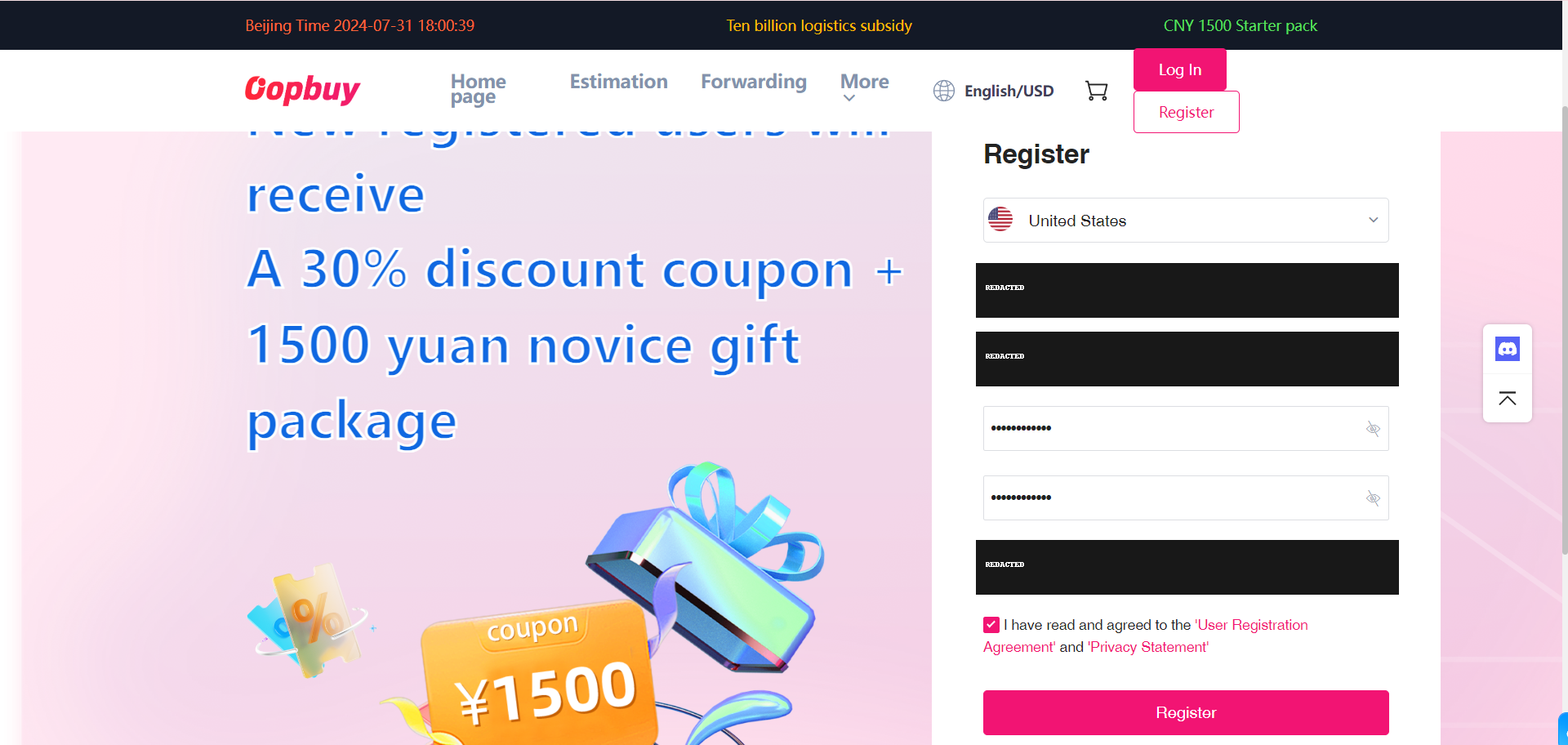
Register with Oopbuy
Create the account on Oopbuy and check the email you will use for order messages. Keep account and address details private. You can browse products before registering, but the catalogue and the agent account are different services. A product saved here is not an order.
02 / 11
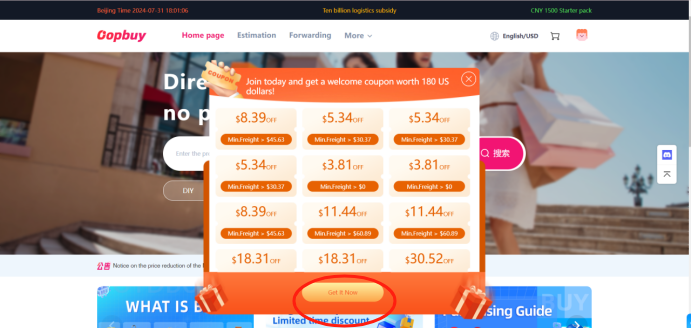
Read the coupon terms
The tutorial next opens the coupon centre. Look at validity, minimum spend, eligible bill and route. A parcel coupon belongs to a later shipping decision and is not a discount on the value of goods for customs. Only count an offer that actually applies in your account.
03 / 11
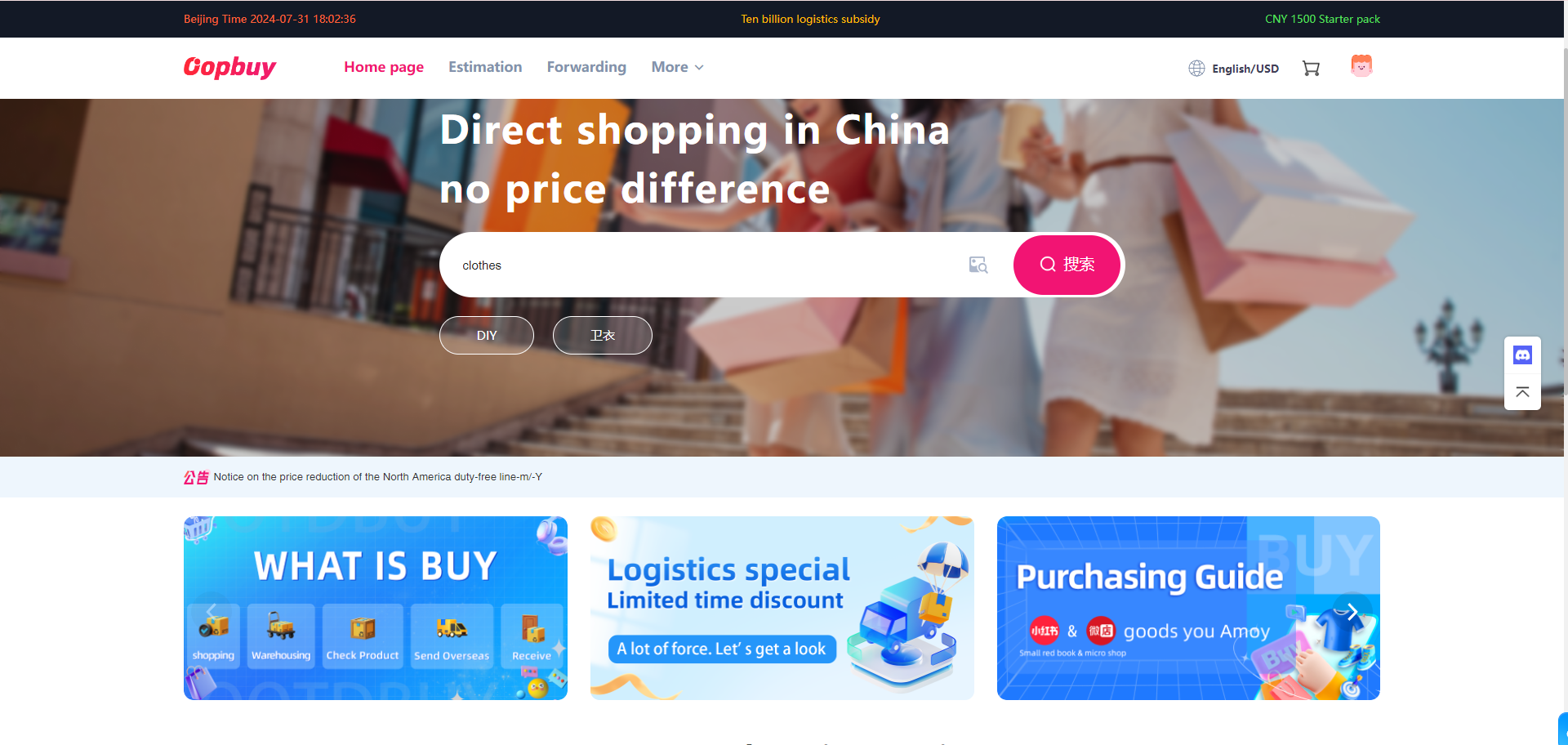
Search with the original link
Take the seller URL from the product listing and paste it into the agent search field. Compare the resulting item and seller before continuing. Search results can show several similar goods; if capture fails, ask about the supported manual-order process and confirm the exact listing.
04 / 11
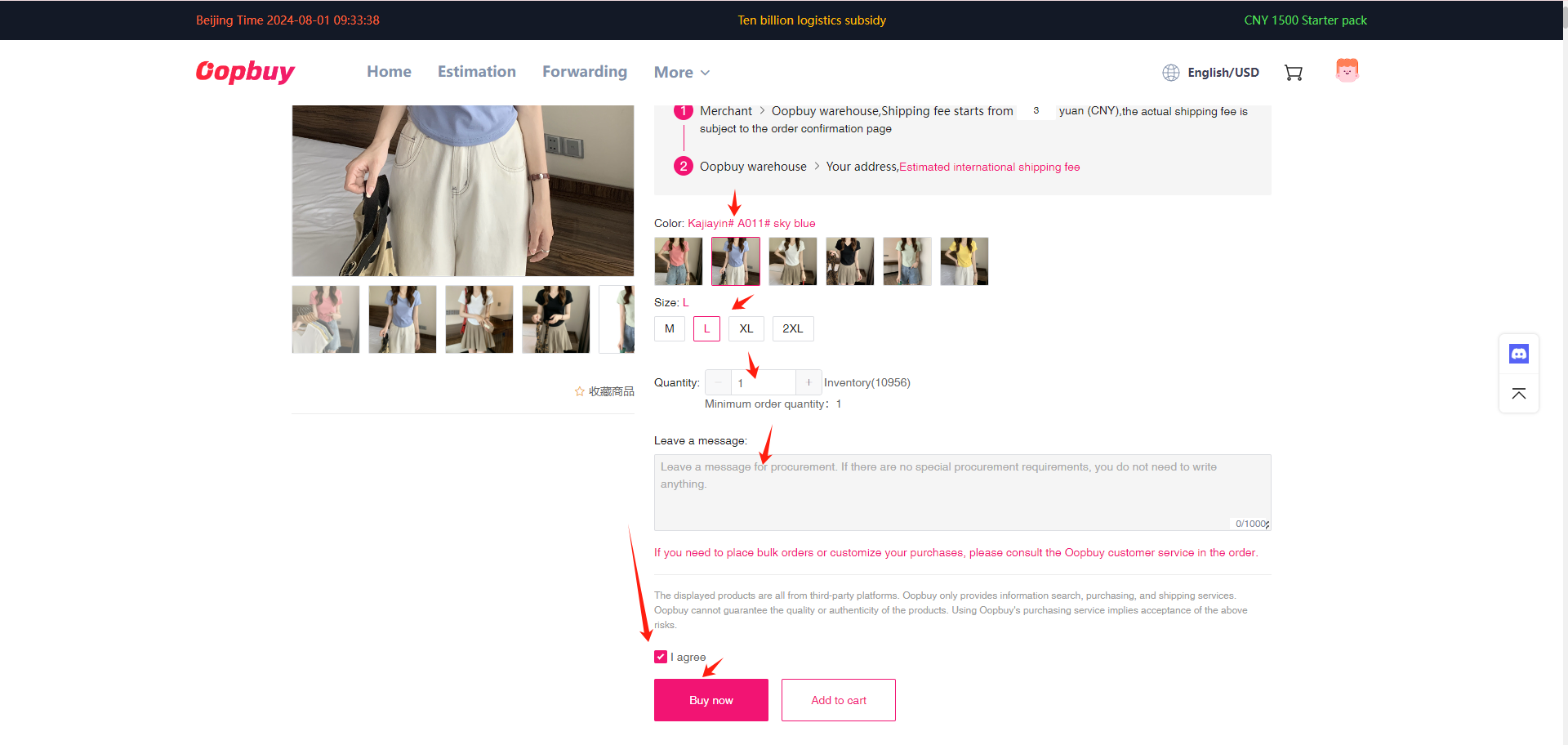
Save the chosen variant
Select size, colour, version and quantity. Keep a record of the chosen option, seller measurements and price. That record later lets you compare the warehouse photographs with what you actually ordered, rather than relying on memory or the hero picture from a listing.
05 / 11
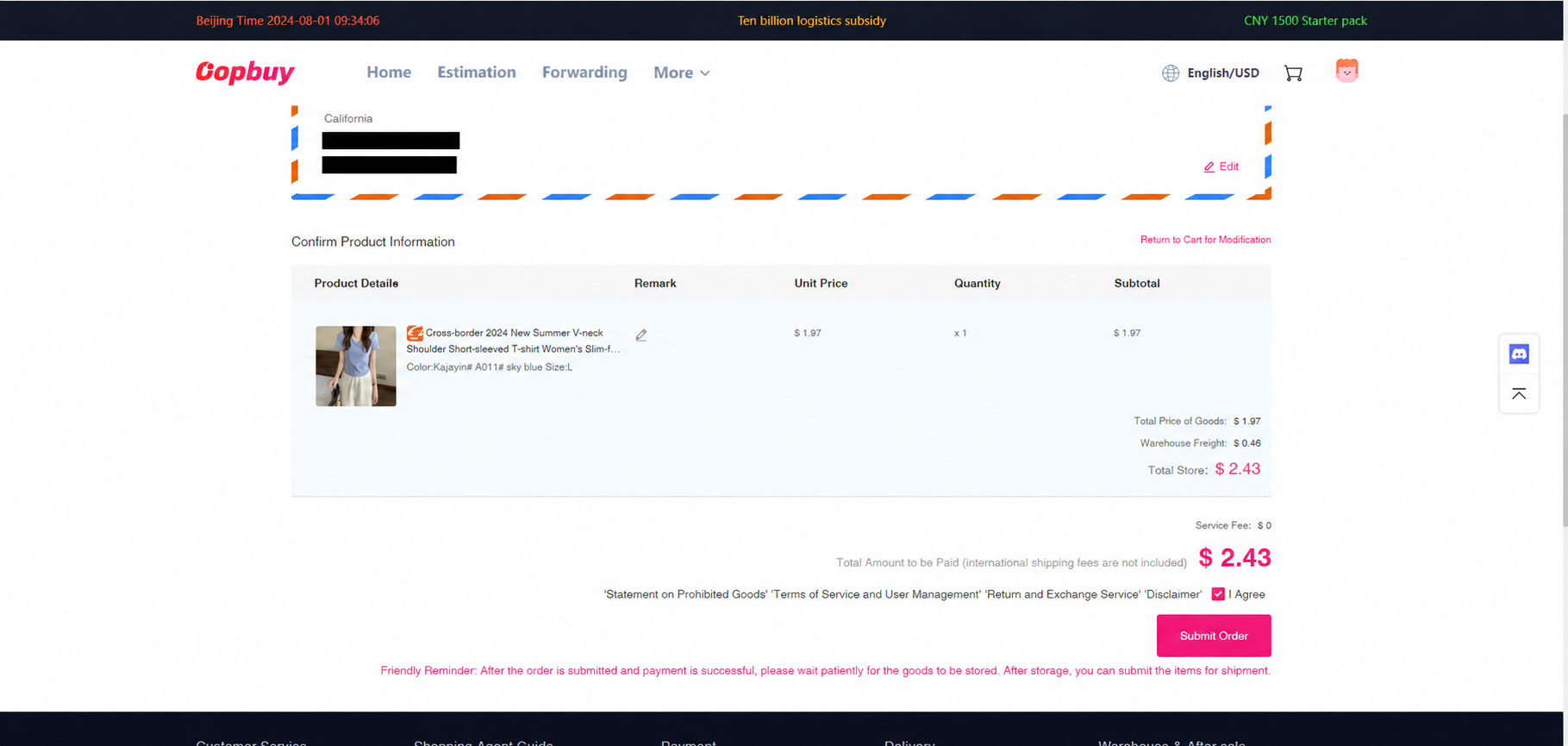
Check and pay the first bill
Review goods, domestic freight and remarks. Funding fees and the conversion between your bank payment and account credit are separate from the seller price. The first payment buys the goods and their domestic journey; international freight still needs its own allowance.
06 / 11
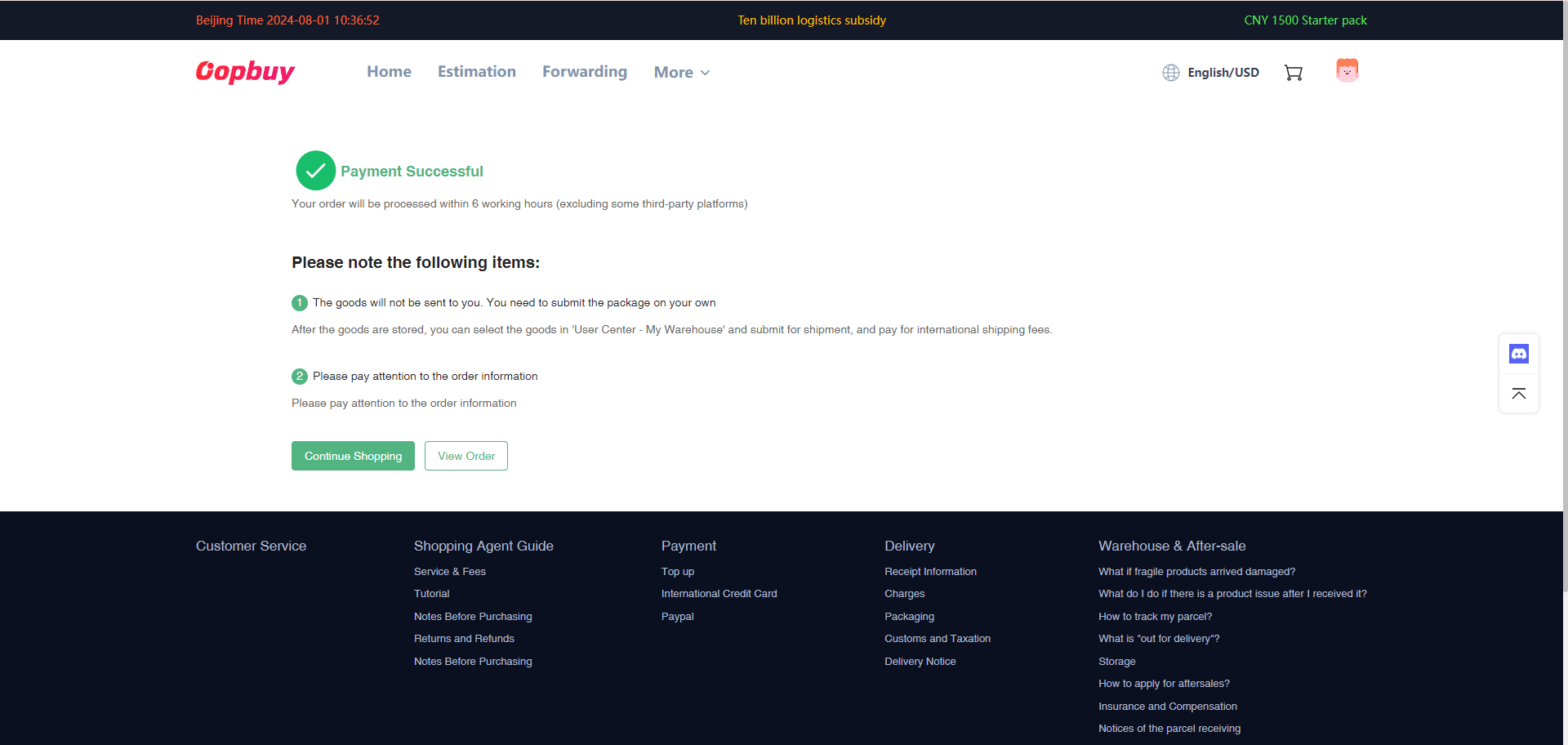
Read the order progress
Distinguish payment received, buying, seller dispatch and arrival. If the seller suggests another option, confirm the change and preserve its price and description. Ask about a delayed purchase through its order record; it is a different question from a carrier delay after international dispatch.
07 / 11
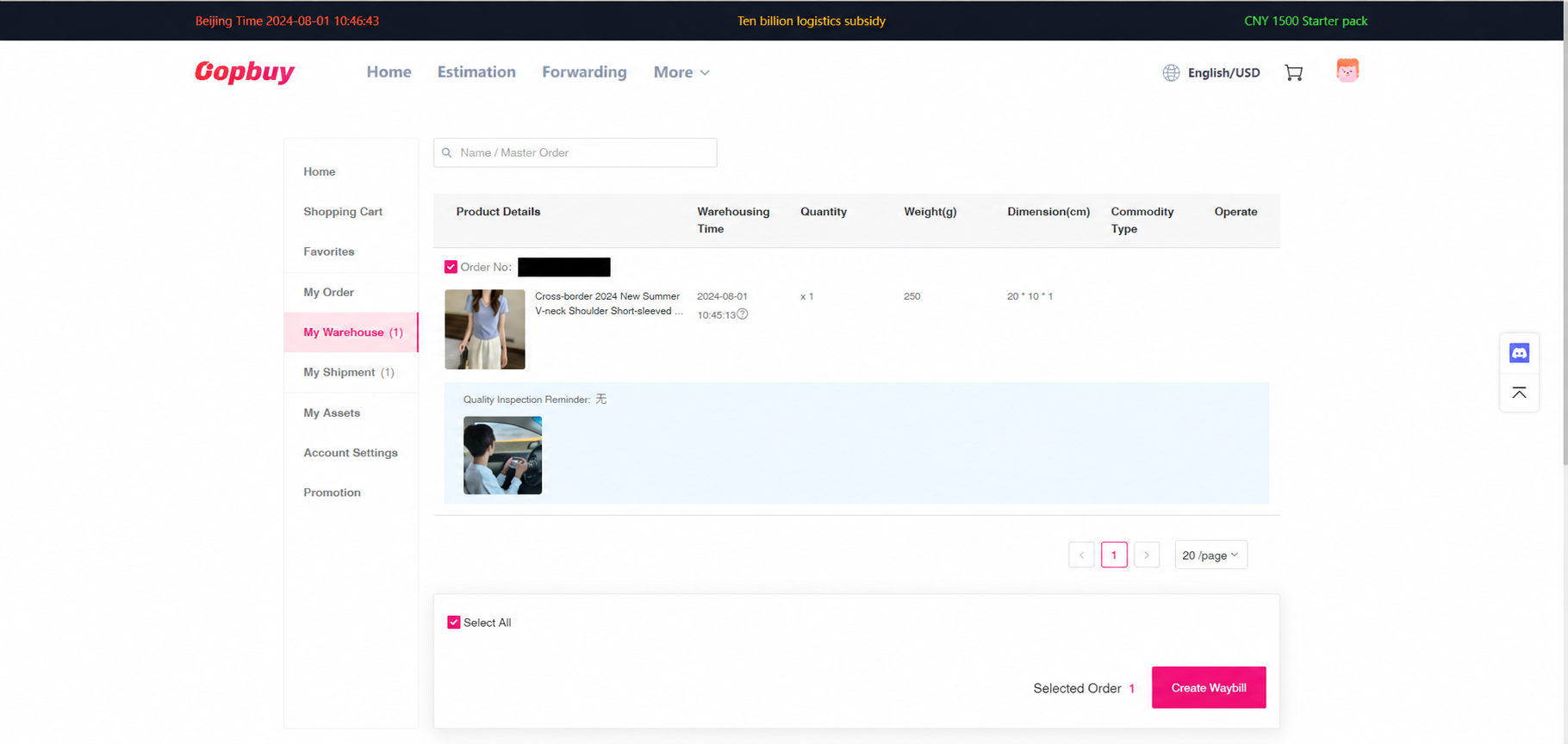
Check warehouse photos before selecting goods
Open the arrived items and compare quantity, colour, labels and visible condition. Request a specific missing angle or measurement promptly. The conditional return window uses stock-in timing; normal storage uses a separate received reference. Waiting for another seller does not pause either automatically.
08 / 11
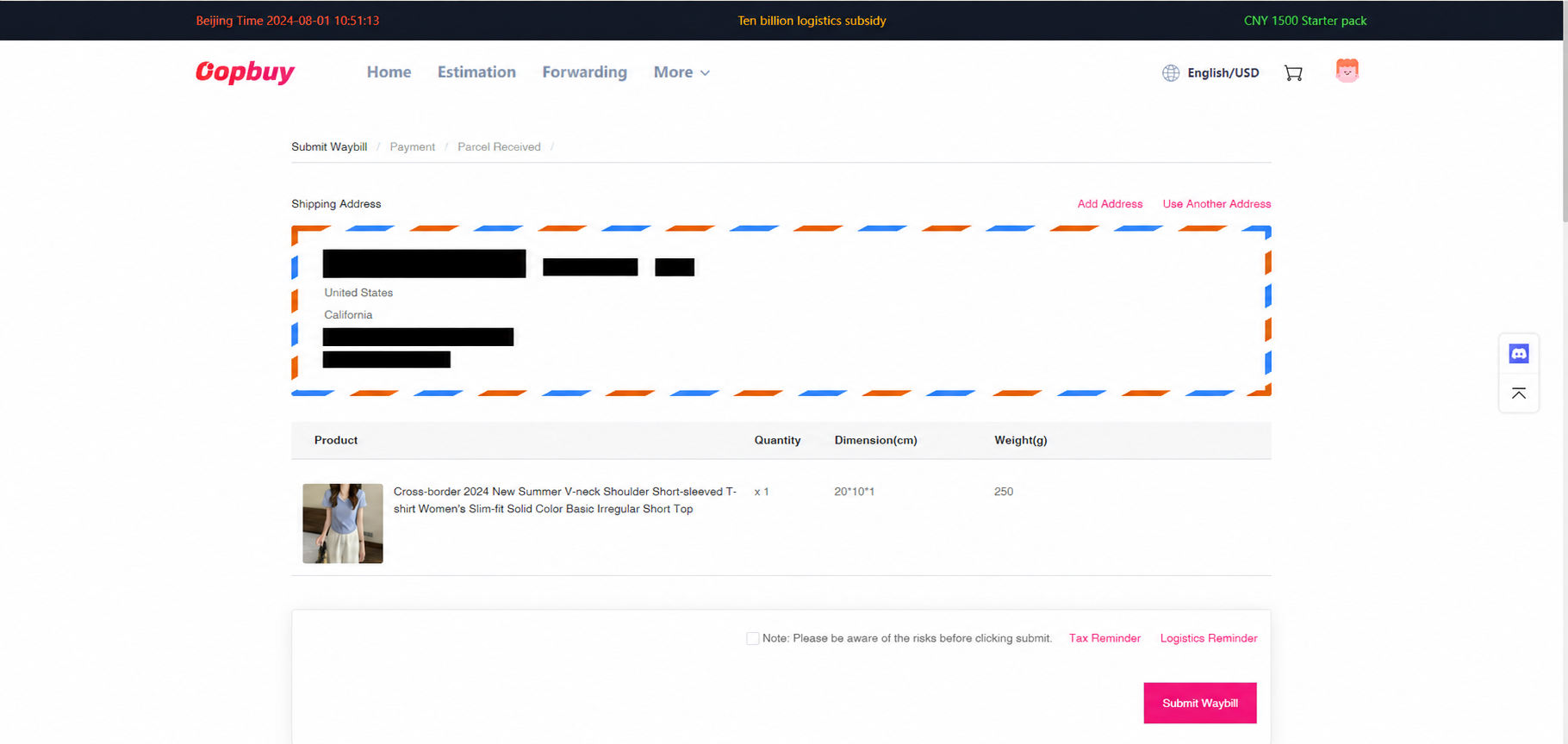
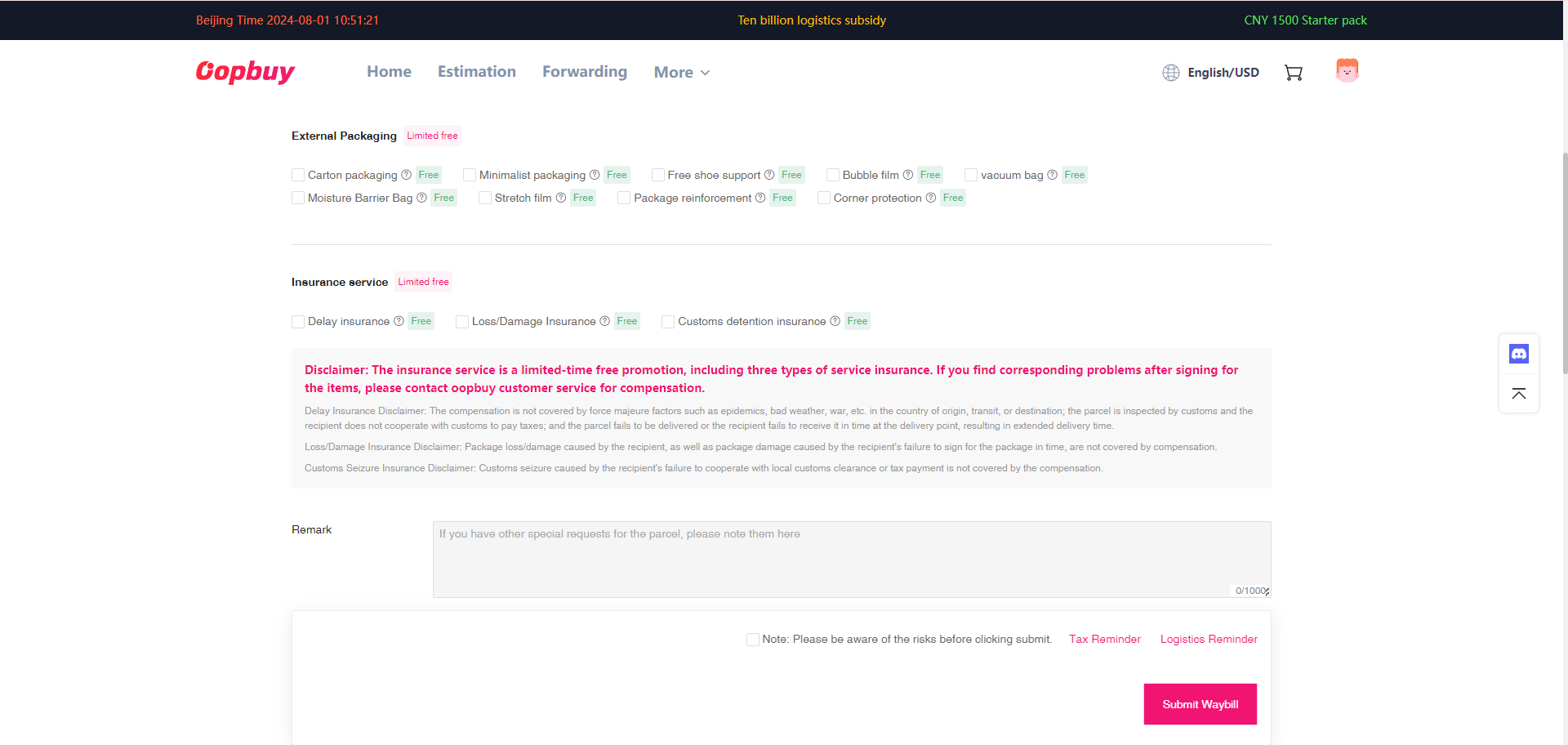
Prepare the address, packing and checkout
The official stage has three screens: recipient and goods, packing and protection, then checkout. Confirm all items are supported on the route. Review the generated declaration against your records, and check what the current form asks for. Box removal or extra protection changes the packing decision, not the identity of the goods.
09 / 11
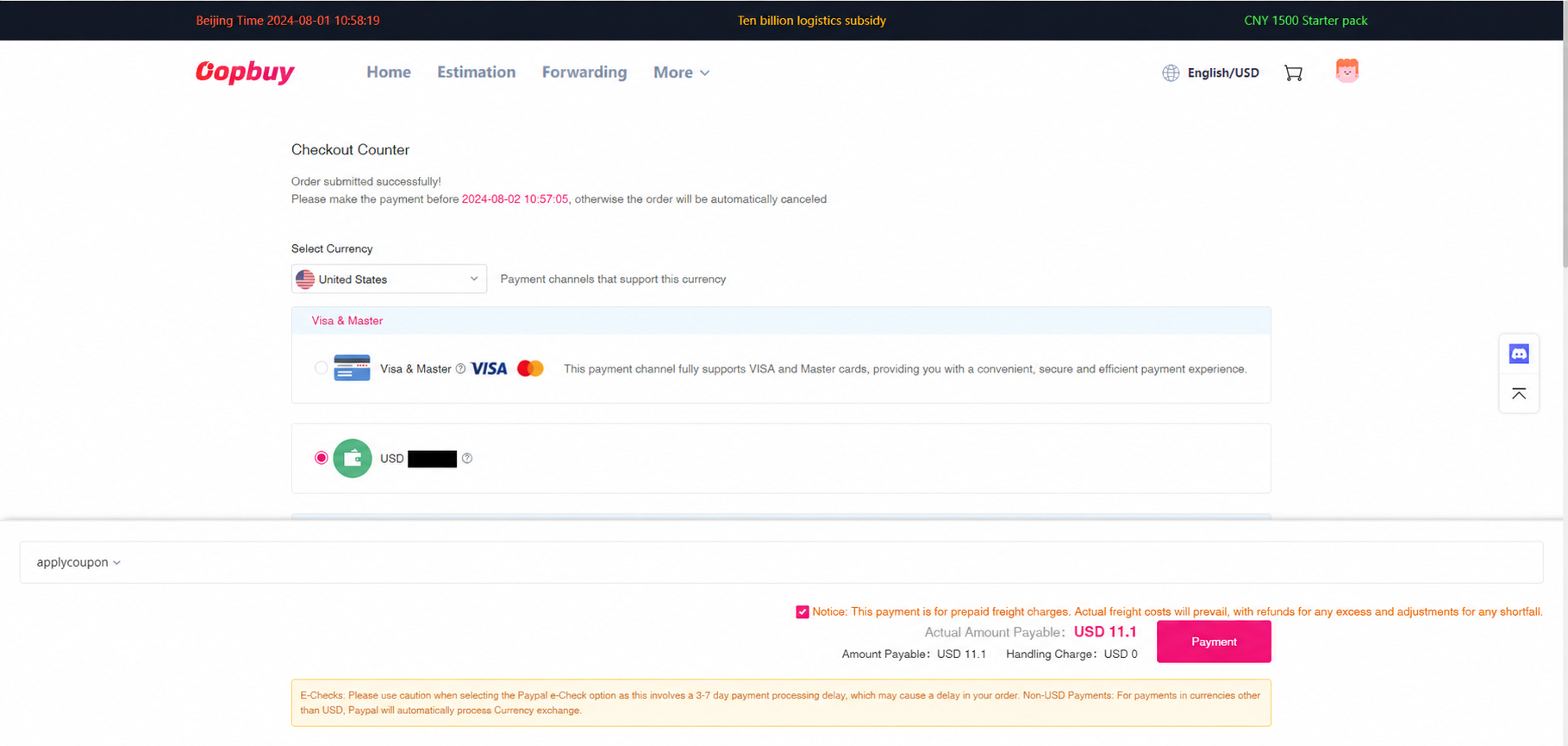
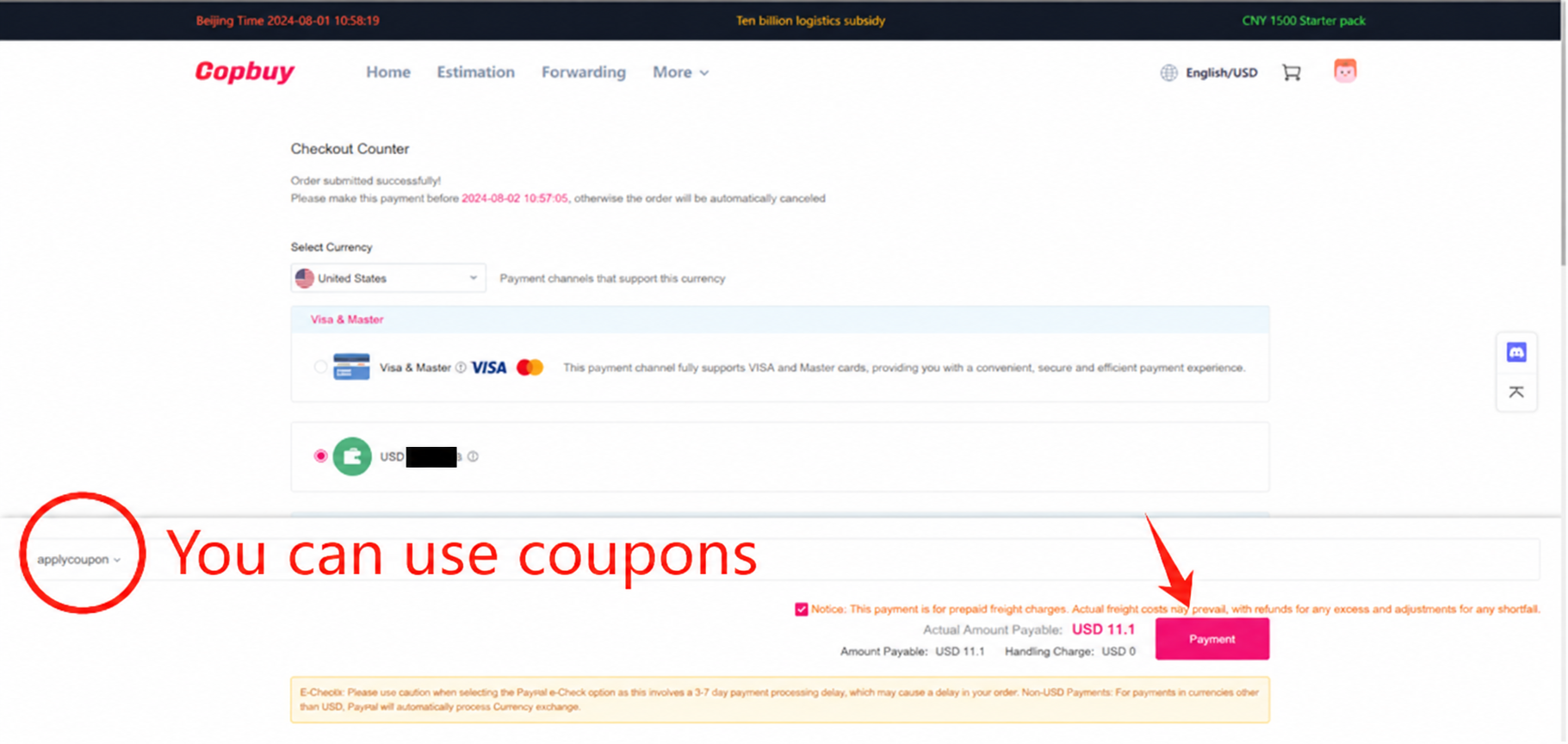
Pay the shipping estimate
Review the international line, delivery range, estimated weight, packing choices and eligible coupon. Keep the estimate for comparison. Sample currency and price values in this old tutorial do not establish a current charge, a tax assessment or a promised delivery date.
10 / 11
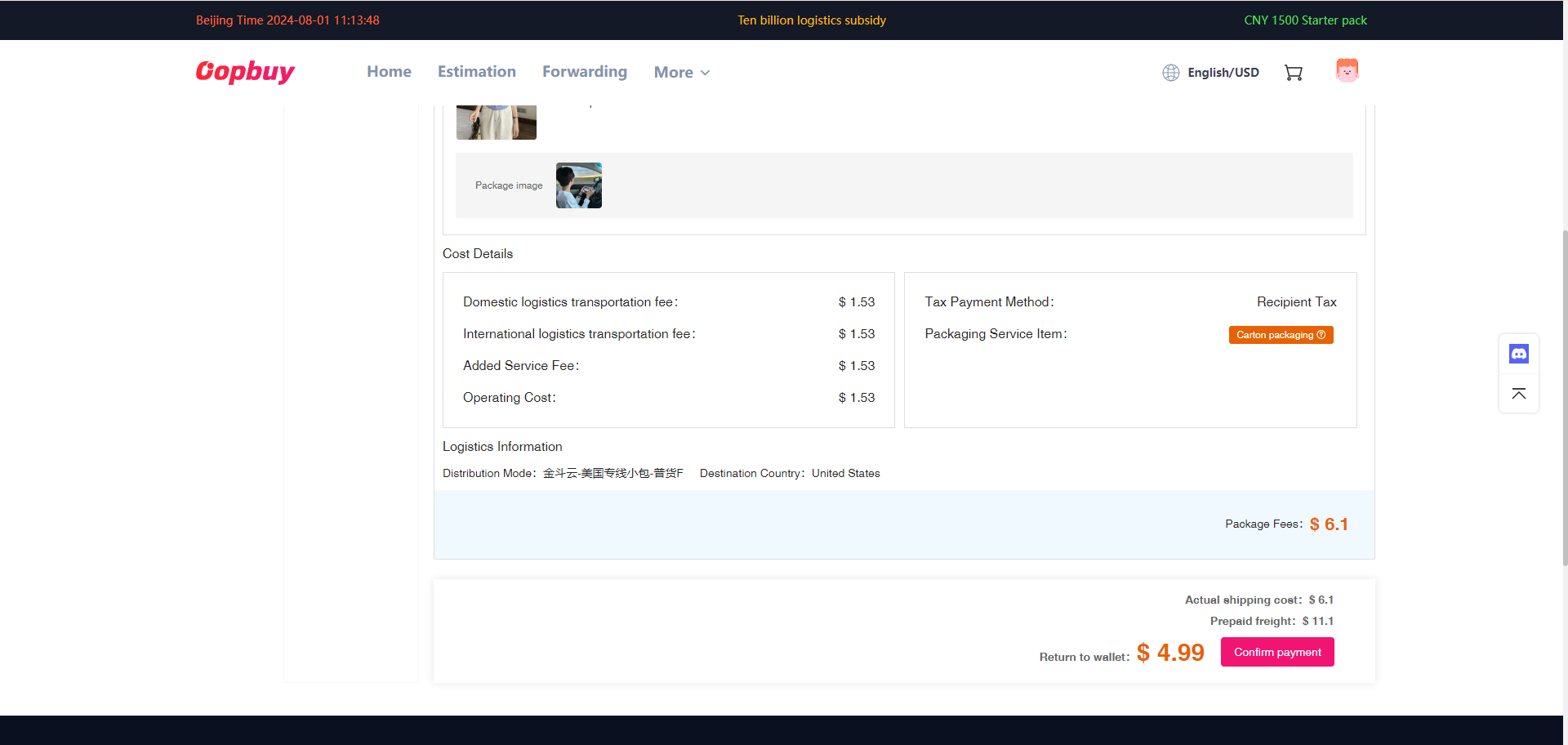
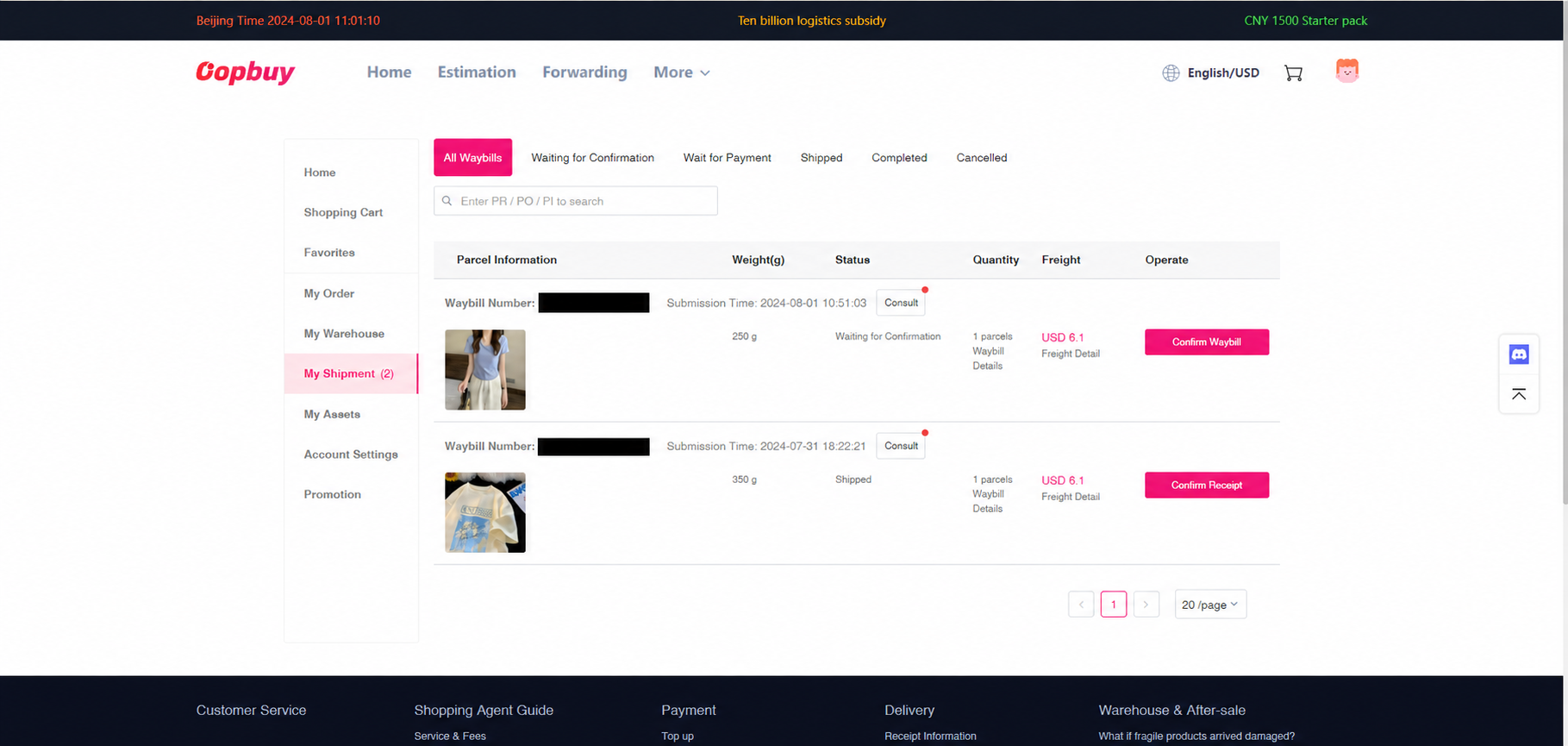
Read the actual packed charge
When the parcel is packed, compare outer dimensions, scale weight, chargeable weight and extras with the estimate. Routes can use different divisors and rounding. Resolve an unexplained adjustment through the parcel conversation; an account credit and a refund to a payment method are different events.
11 / 11
Follow tracking and check delivery
Use the carrier scans to distinguish a created label from pickup and movement. At receipt, retain the carton, labels and packing until checking the contents. If there is damage or a shortage, document the evidence promptly and follow the conditions for the actual parcel service.
Keep the evidence for the next decision
Save the seller option for QC, the order receipt for value, the account status for deadlines and the parcel record for delivery. These records answer different questions.
Read actual QC · Budget and delivery · Ask for the right help