
Home / Weight and QC
Before you declare, the warehouse has already weighed it
Incoming parcels are inspected under Oopbuy’s published rules, including exceptions for sealed goods. Those records are the first evidence of what your parcel contains, and they are worth reading before you write the declaration.
What QC means at Oopbuy
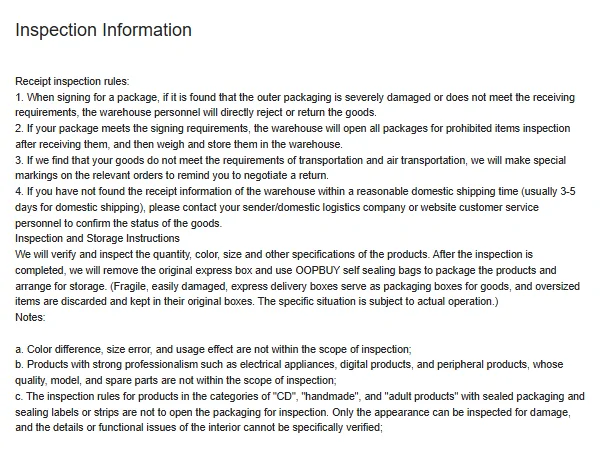
QC, quality check, is the warehouse inspection of each item after it arrives. Oopbuy's Inspection Information page says every package is opened for a prohibited-items check and then weighed and stored, and that staff verify quantity, colour, size and other label specifications.
The page also lists what is not inspected: colour difference, size error and usage effect; electronics only by appearance; sealed CDs, handmade and adult products left unopened.
Two of those rules connect directly to your declaration. Staff remove the original express box and repack items in Oopbuy bags, so the seller's shipping carton does not travel on with your parcel. And items that do not meet transport requirements get a special marking at intake. If one of your items is marked, sort it out before you declare: a parcel that cannot travel on your chosen route will not get there because the declaration is tidy.
QC photos: generally three, and free
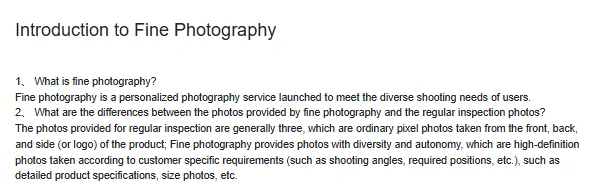
Oopbuy's Fine Photography article says regular inspection photos are generally three, ordinary photos of the front, back and side or logo, and that fine photography is a paid custom shoot. The warehouse price list adds detailed photos at ¥1 each.
For the declaration, the useful part is what the photos record besides the item: in the QC export we have seen, a timestamp, a weight in grams and a size in centimetres.
How to read the QC photos for the declaration
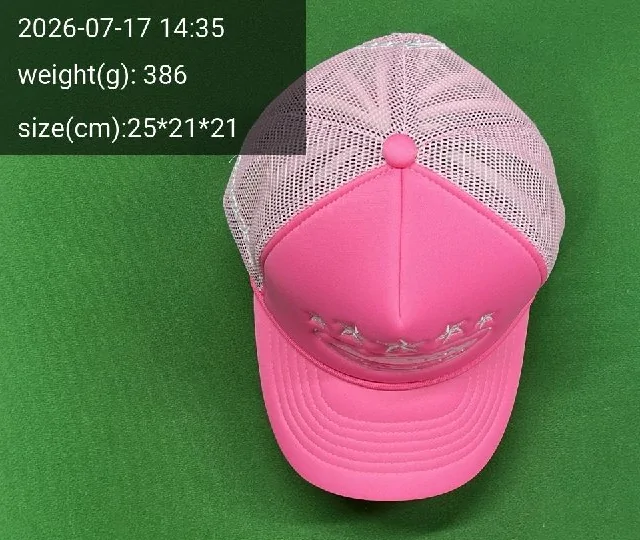
Look at four things. The item: is it what you ordered, in the count you ordered? The weight overlay: one cap weighing 386 g is plausible. The size: will it pack small? And the quantity in frame against your order.
Then carry those facts into the declaration. If the QC shows two caps, the quantity line says two. If a jacket weighs 1.4 kg, the parcel is heading towards the weight where packing choices matter.
Write the weights down as the photos arrive. A small list beside your order numbers (item, quantity, grams, price paid) is everything a self declaration asks for, and it takes seconds per item. By the time you submit, the declaration is a copying job rather than a memory test. It also makes the rehearsal result easy to sanity-check: if the packed parcel weighs much more than your list adds up to, ask why before you pay.
A short QC checklist
- Match item, colour and size to the order line.
- Count units in the photos and compare with the quantity you will declare.
- Note each item's weight; add them up to see where the parcel is heading.
- Look for damage or stains; the conditional return guarantee uses 120 hours under its next-whole-hour stock-in rule, with seller eligibility and resaleable-condition requirements.
- If something is unclear, order a ¥1 detailed photo rather than guessing.
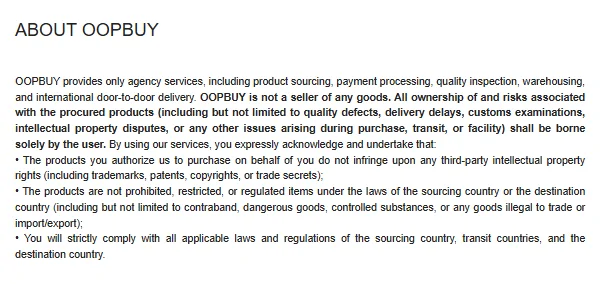
This is how to check QC photos for a declaration, not a guide to judging craftsmanship. Oopbuy states that it does not guarantee authenticity, and counterfeit or infringing goods may be destroyed at the warehouse without shipment or refund.
Storage time and the declaration
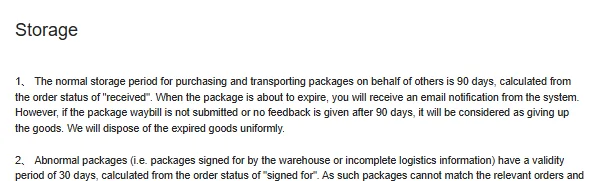
Items wait in the warehouse while you collect a parcel. Oopbuy's Storage page gives 90 days of free storage from the status received, and 30 days for abnormal packages from signed for. After 90 days the page offers extension at 10 CNY per 30 days; other official pages describe a single extension to 120 days or a maximum of six months.
The pressure of a running clock is a common reason for rushed declarations. Leave time to do it properly.
We list the extension rules side by side because they disagree and Oopbuy has not said which governs: the Storage page charges 10 CNY per 30 days, the customised logistics page allows one extension to 120 days, and the warehouse service list caps storage at six months. For planning, leave a buffer before the normal free-storage reference and confirm the actual account deadline. Earlier shipment does not remove item, route or payment risks.
Rehearsal: the real weight before you commit
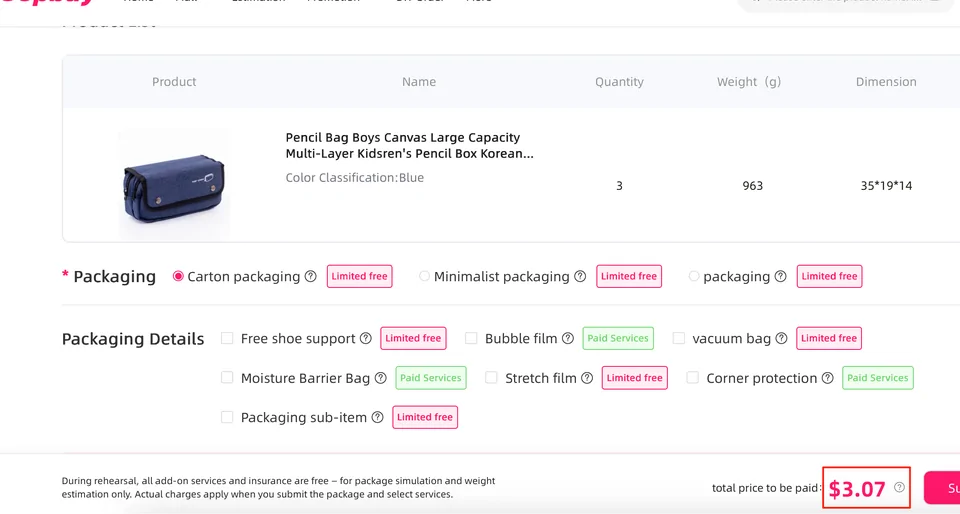
Parcel Rehearsal packs the parcel for a ¥20 fee so you learn the exact final weight and shipping cost before submitting, as long as route, packing and details stay the same. Oopbuy says the parcel can then dispatch within 24 hours of payment, holidays aside.
For a declaration near the commercial signals, it turns a guess into a measured weight.
Next: put your own lines through the desk check.
Open the declaration check